Kitchen
Weekday breakfast is scrambled eggs and bacon on the hot line. The board records the forecast and what actually went out.
Watch one stay move through the lodge, then open the screens an operator uses.
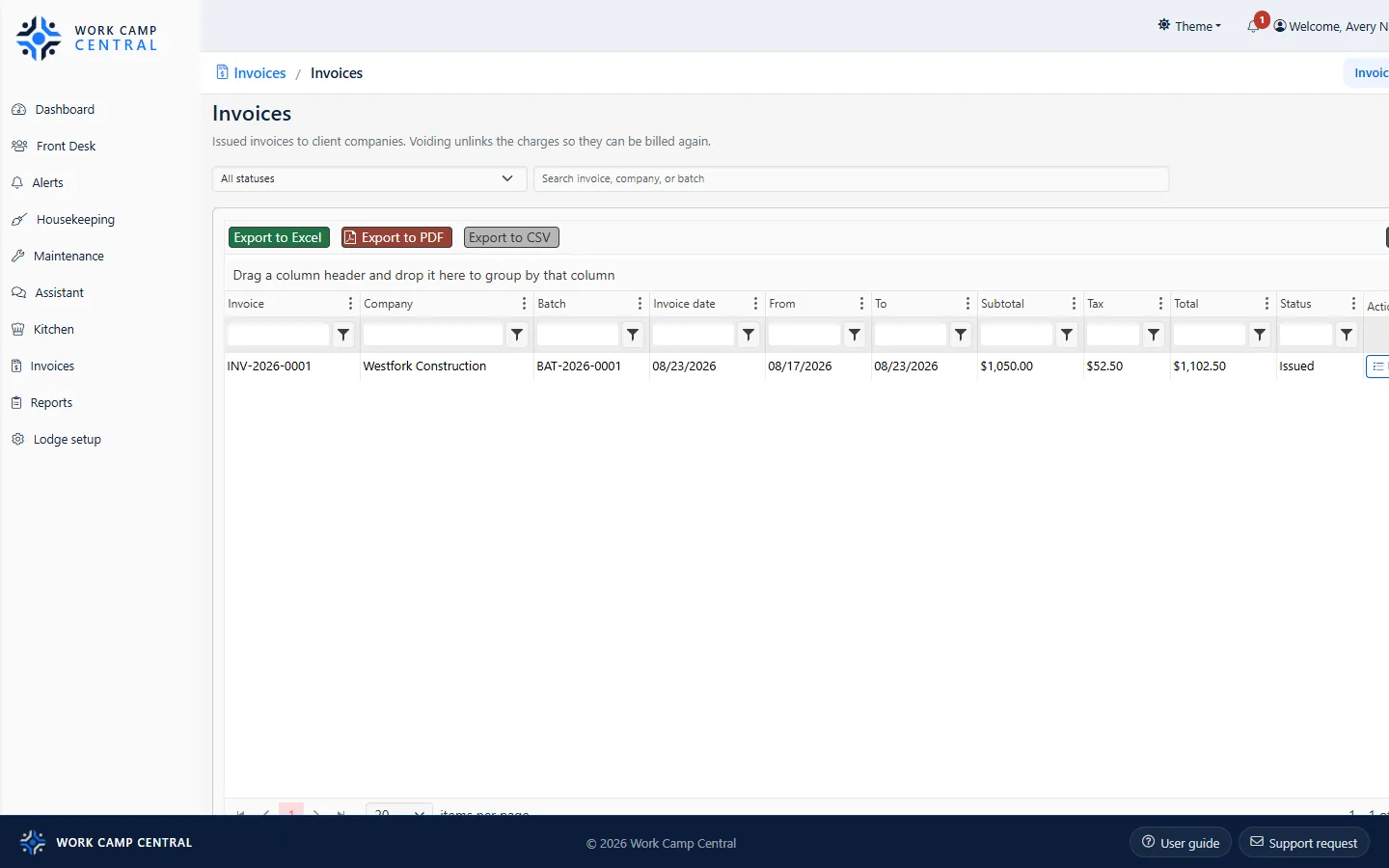
These are screens from the live lodge. A stay moves from the morning board to the desk, the room, the dining line, the guest TV, and the company invoice.
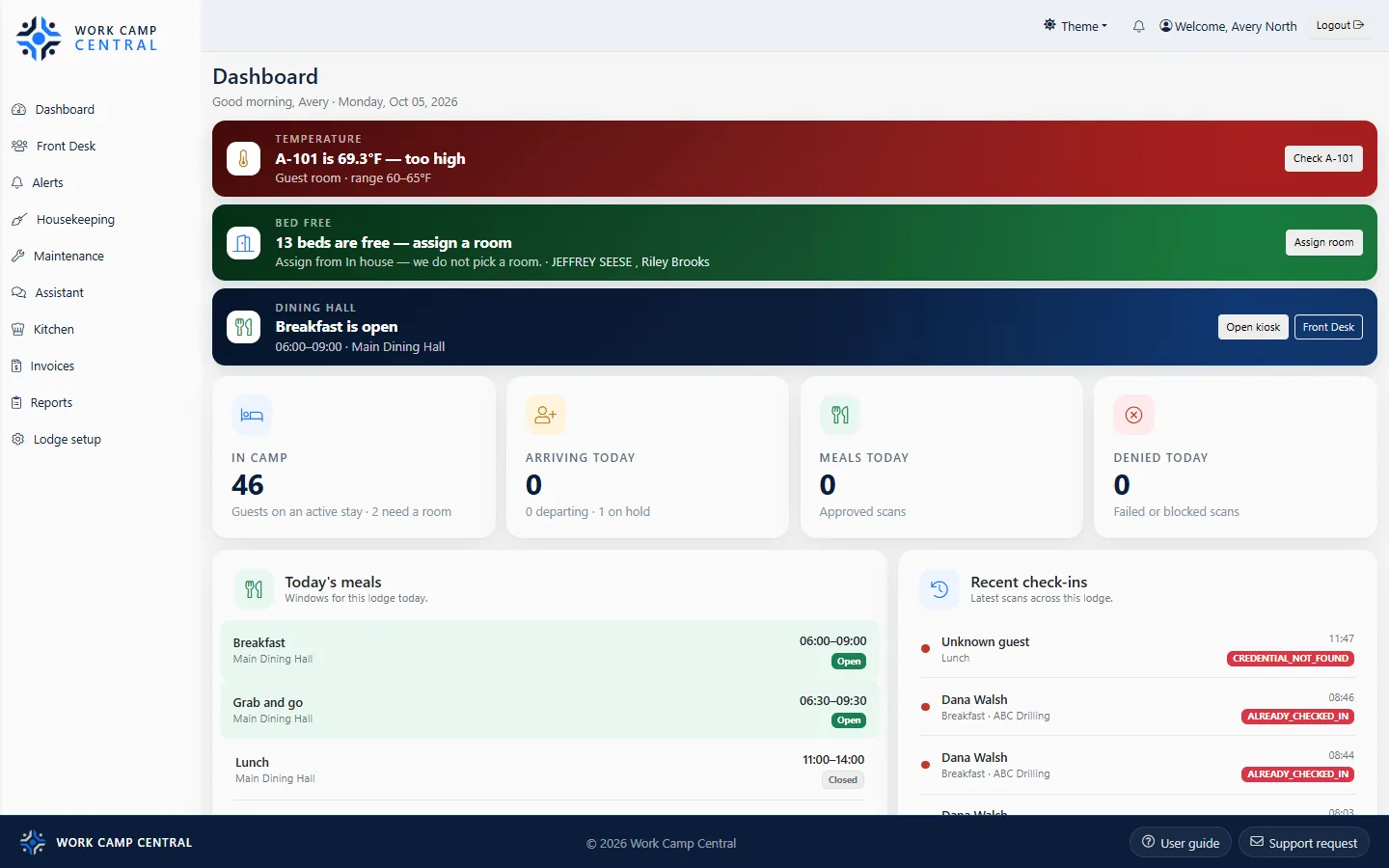
Before the first bus, the dashboard already has the day: who is in camp, which meal is open, and which room is running hot.
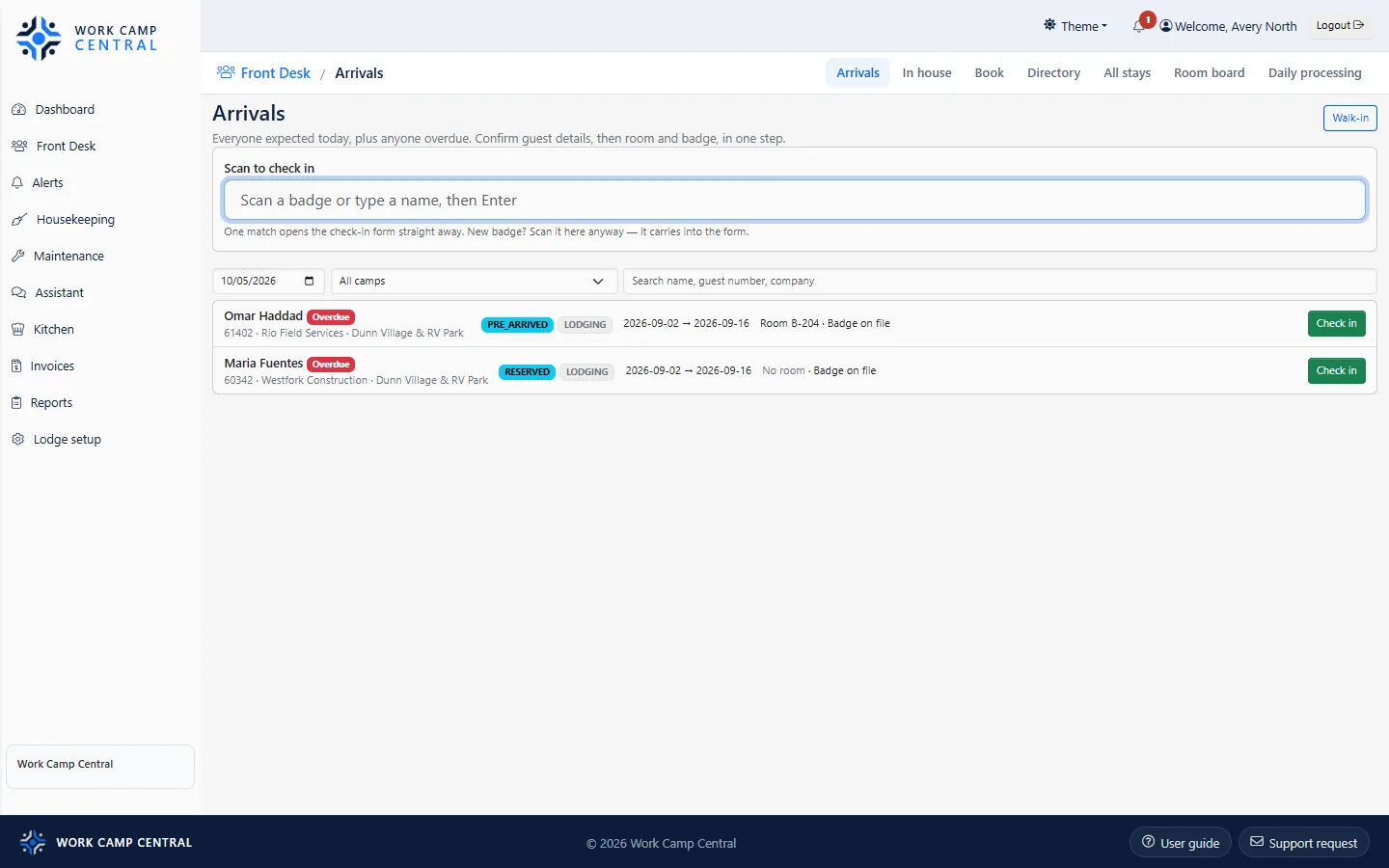
Type a name or scan a badge. Confirm the guest, the room, and the stay in one step. Door access for the badge and the welcome on the TV come from that arrival. We can integrate with almost all smart locks.
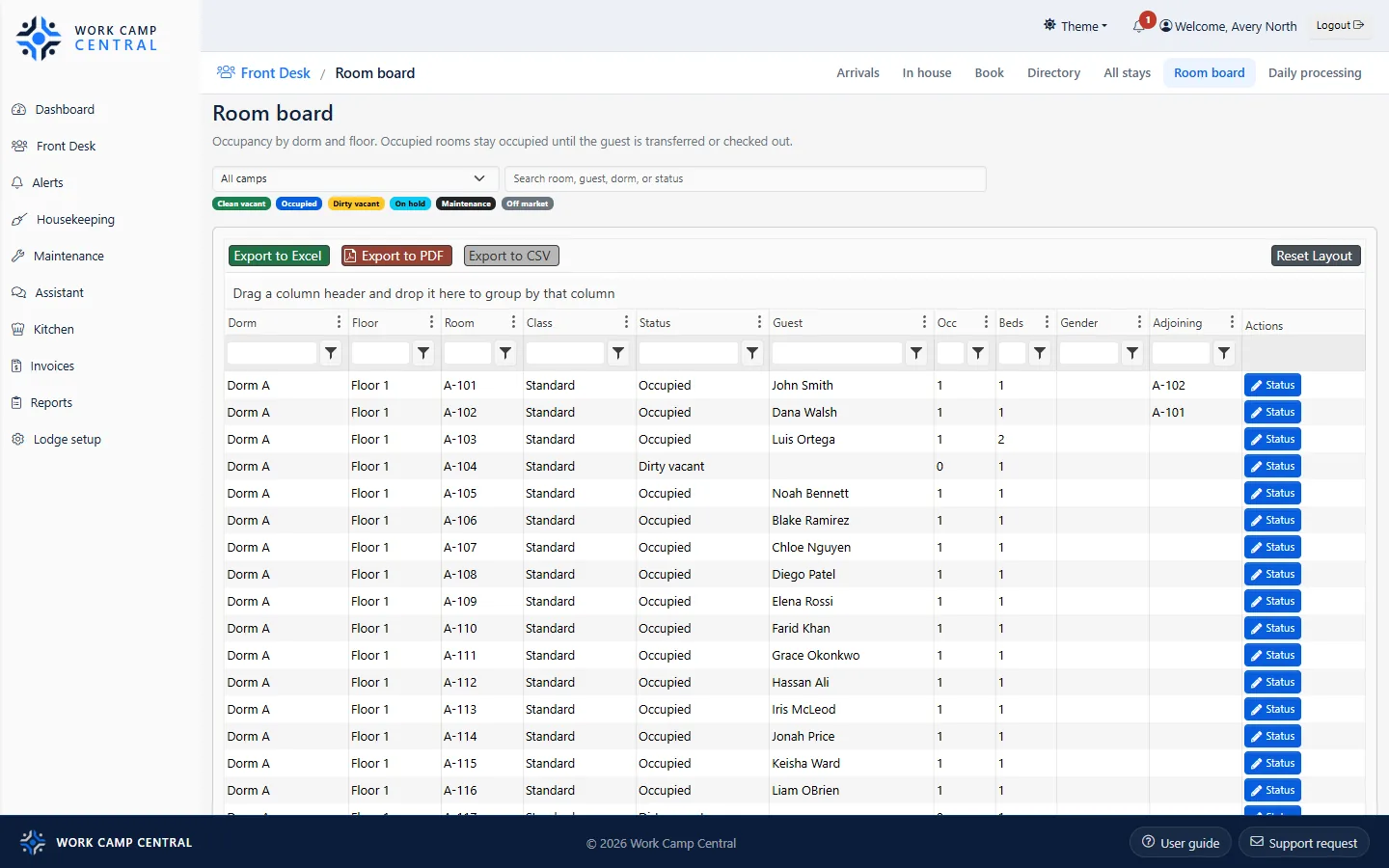
The room board is who slept here and which rooms are ready. Housekeeping works from the same status: occupied, dirty, or on hold.
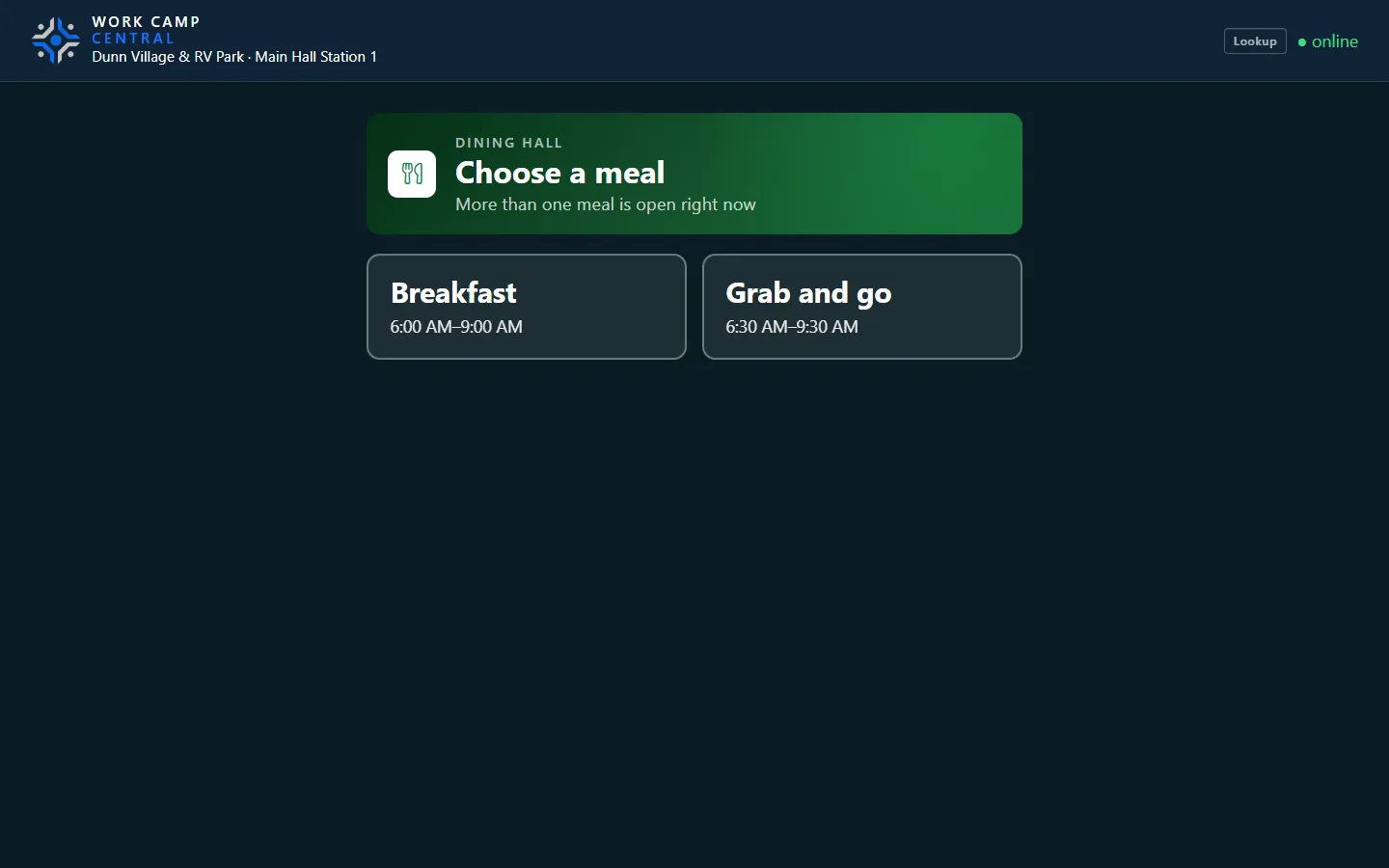
When more than one meal is open, the station asks which one, then scans the badge. That same count becomes the kitchen's list: what to cook, what was served, and what was left.
Weekday breakfast is scrambled eggs and bacon on the hot line. The board records the forecast and what actually went out.
The same badge is checked at the gate. The station shows who was approved and who was turned away.
A leaky faucet, a stuck door, or a request from the room TV lands on one board with a priority and a worker.
The room TV shows the name, the company, the room, and today's menu. Maintenance is a code on the screen, so the guest reports the room they are standing in.
Example of the guest screen
Nights, meals, and extras roll up by company. Issue the batch from the same login that ran the front desk. Reports for muster, occupancy, and the kitchen sit beside it.